
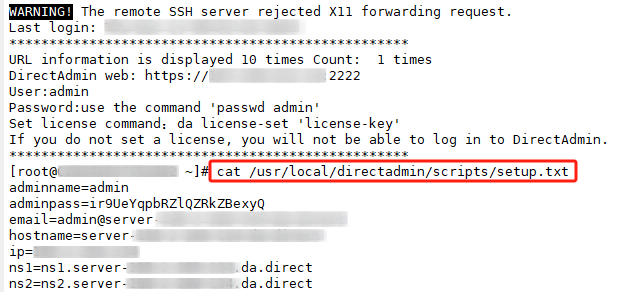
First, we can log into the system via SSH and type "cat /usr/local/directadmin/scripts/setup.txt" to view the DirectAdmin panel information.
The following is the web interface displaying the DirectAdmin panel.
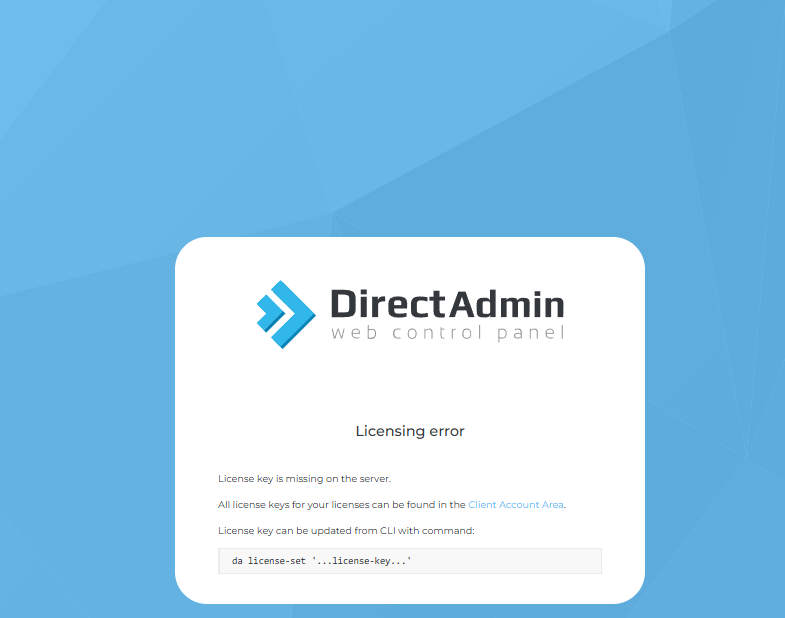
To obtain the correct license key for DirectAdmin in the client area, you can follow these steps:
-
Log in to the client account of DirectAdmin:
Visit the official account page of DirectAdmin: https://www.directadmin.com/clients
Log in with your registered email and password.
-
Find the license information:
After logging in, in the client panel, find the "Licenses" or "My Licenses" option.
Click on it, and you will see a list of all the licenses you have purchased. Select the license related to your server.
-
Obtain the license key:
On the license details page, you will see the related License ID and License Key.
The License Key is the one you need.
-
Apply the license key to the server:
Copy the License Key, and then apply it to your DirectAdmin server via the command line:
da license-set 'your-correct-license-key' -
Restart DirectAdmin service:
After setting it, restart DirectAdmin to apply the new license:
systemctl restart directadmin
