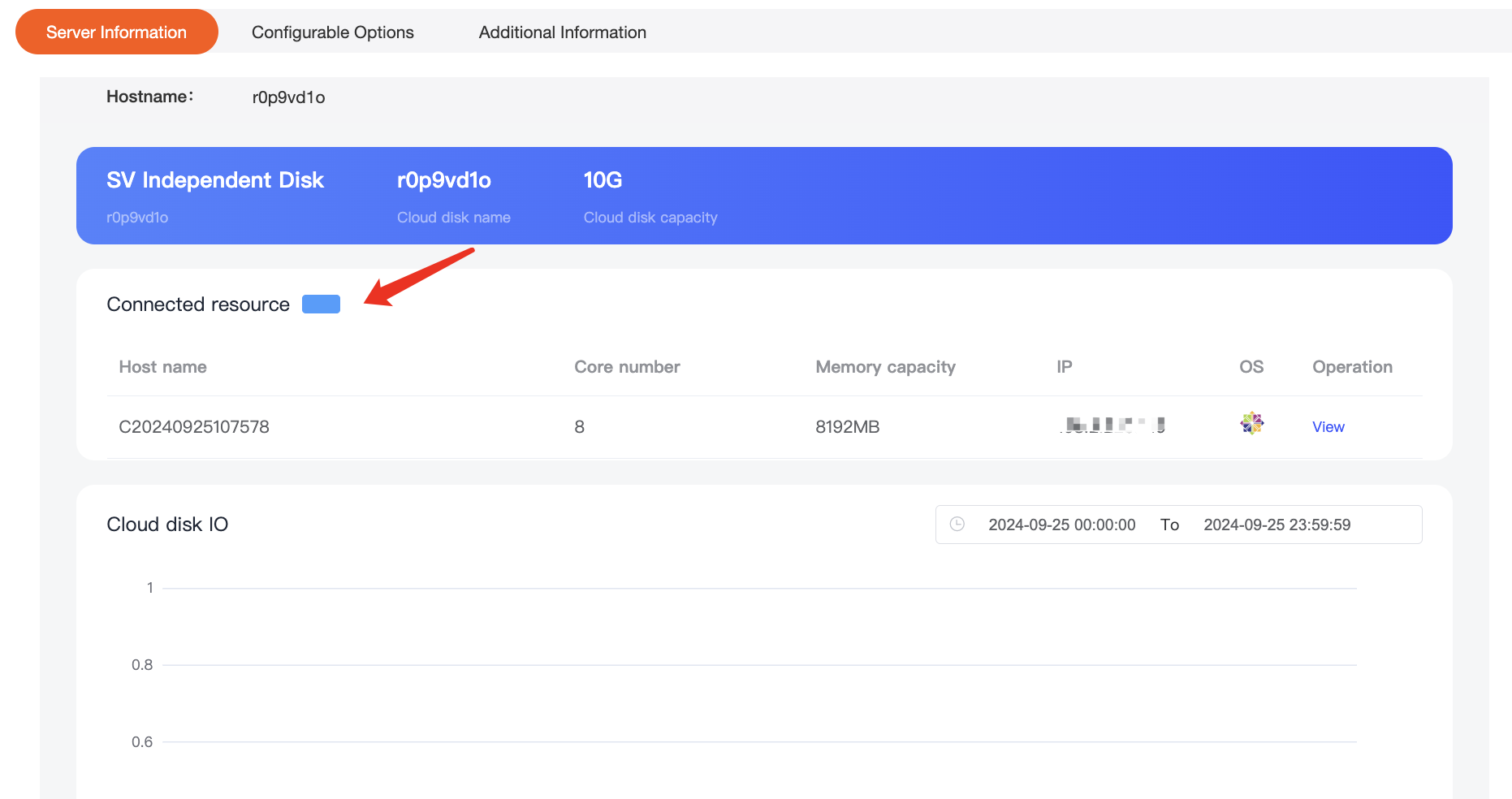
Independent cloud disks are removable data backup storage resources that can be purchased independently
Scope of application:
The independent cloud disk must be in the same region as the associated server. If they are not in the same region, they cannot be associated.
Independent cloud disks are only applicable to Public cloud and Bare metal cloud products.
1. Purchase
Order Hosting – Public cloud – independent cloud disk
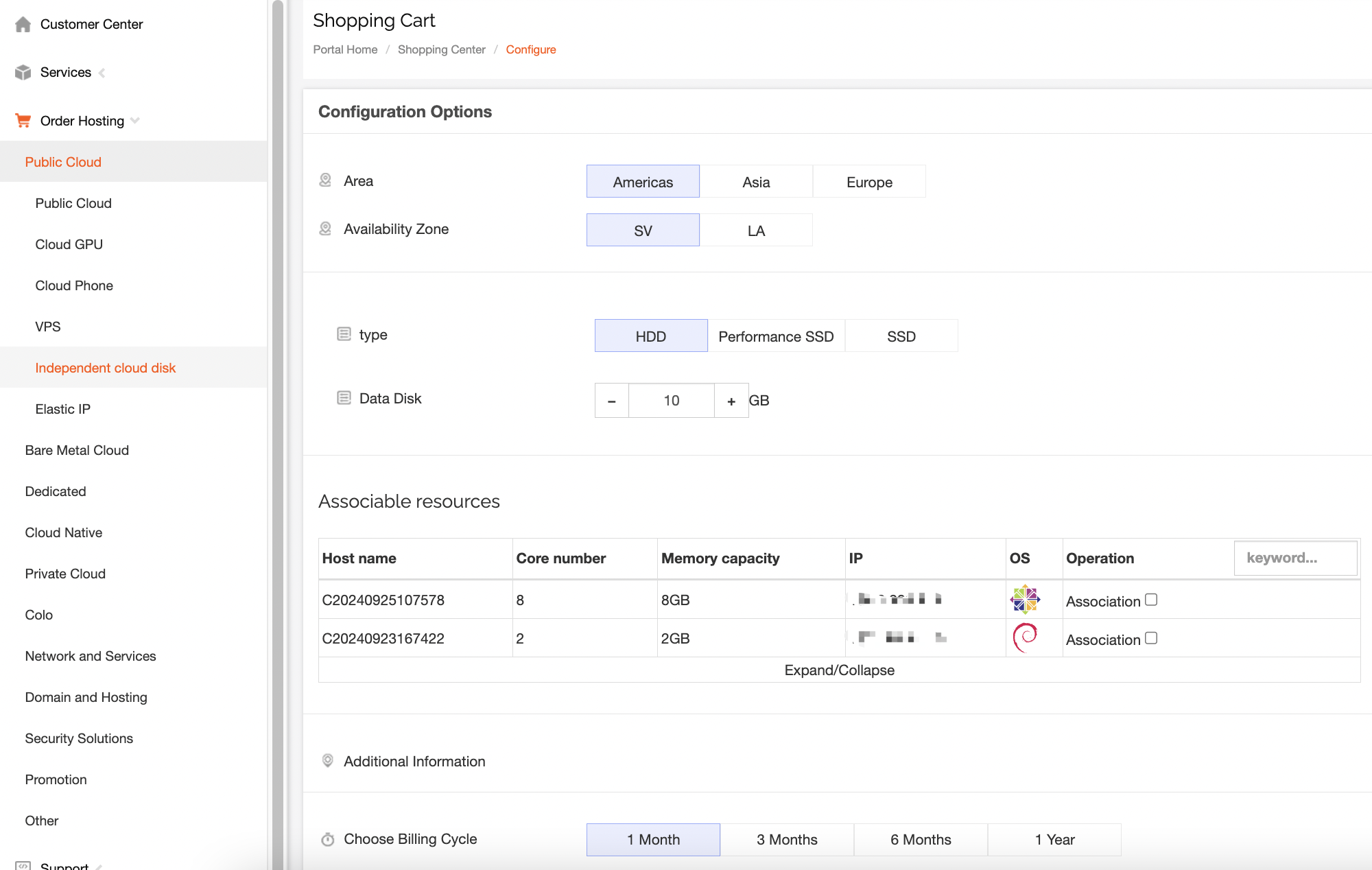
在购买独立云盘时就可以进行资源关联,不显示的资源可以在“可关联资源”一栏里右上方进行搜索相关资源即可。You can associate resources when purchasing an independent cloud disk. For resources that are not displayed, you can search for them in the upper right corner of Association.
2. Instructions
After purchase, search in Services – Public Cloud – Independent Cloud Disk

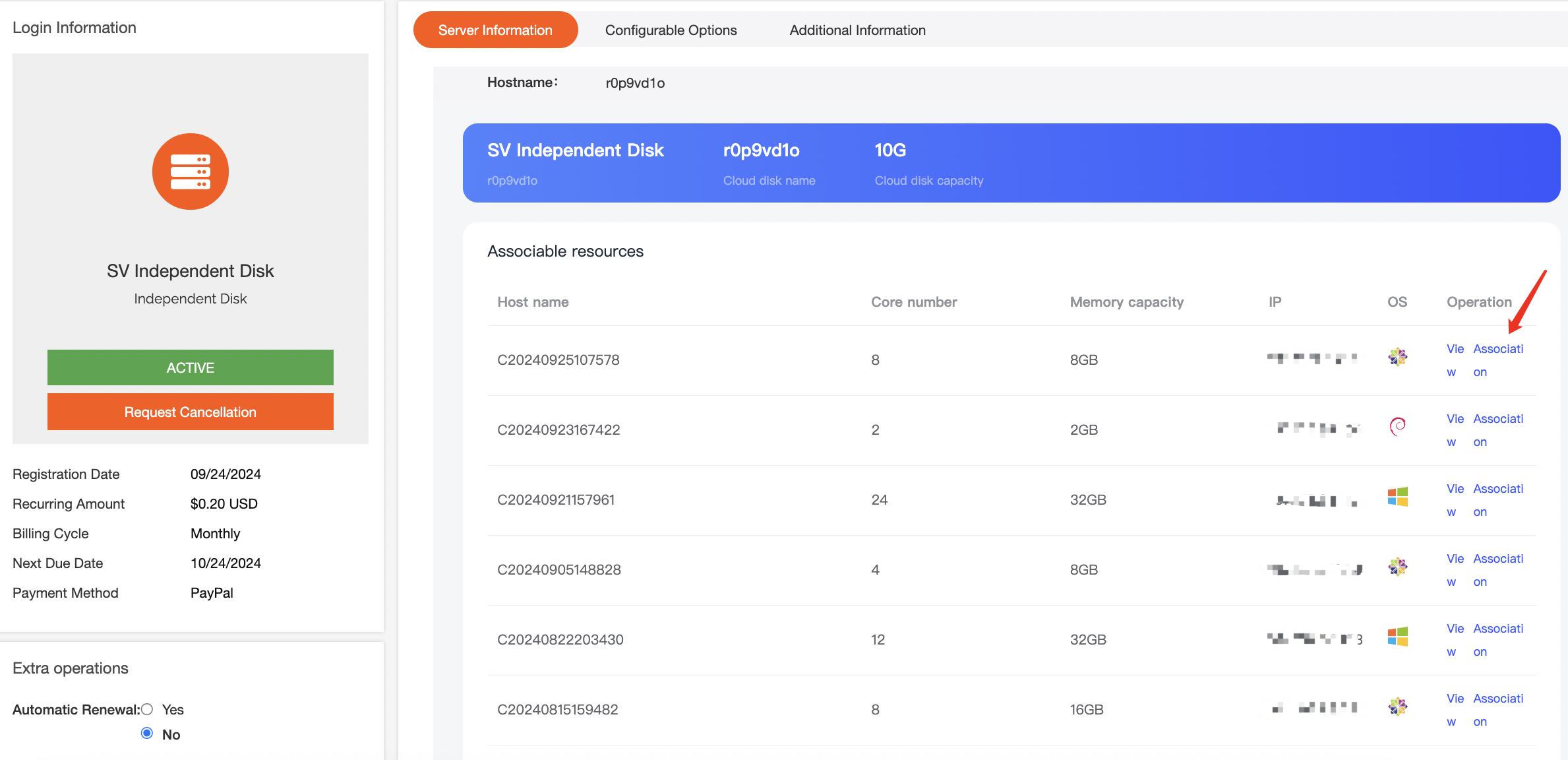
If you do not associate resources when purchasing, you can also associate them after the purchase is completed.
In the Manage Product - Server Information, all available resources will be displayed and you can click on the link to associate it.
After association, the page will automatically refresh to display the associated resources.
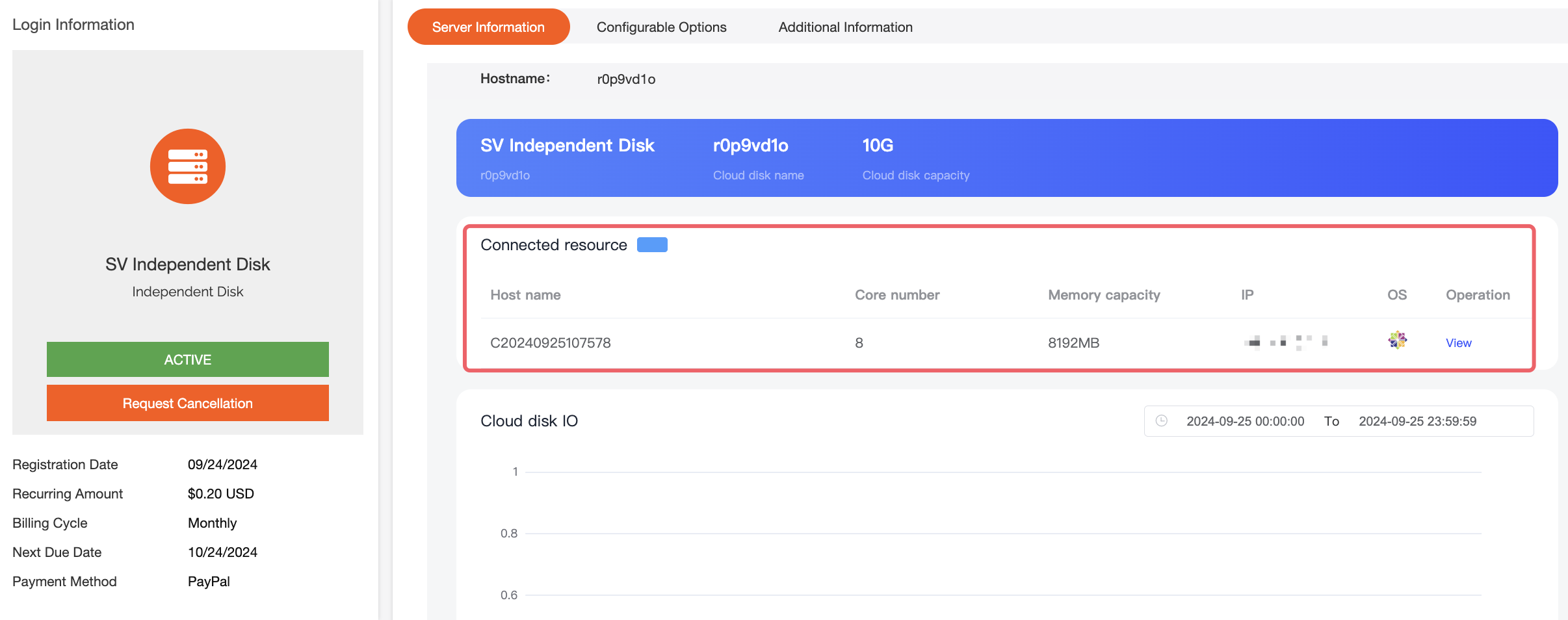
- After the independent cloud disk is associated, you need to log in to the system and manually mount it.
3. Cancellation
If you do not need to associate resources with independent cloud disks, you can directly uncheck the Connected resources in the background.