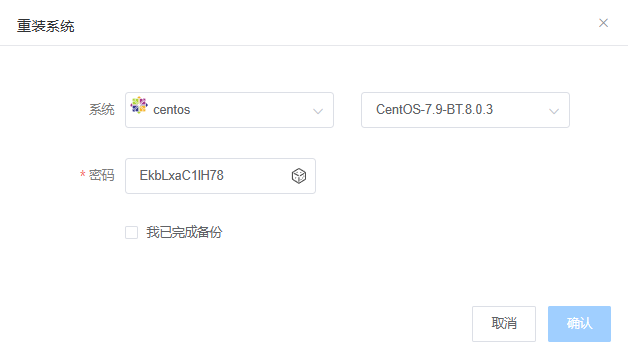
How to check CentOS-7.9-BT.8.0.3 login information

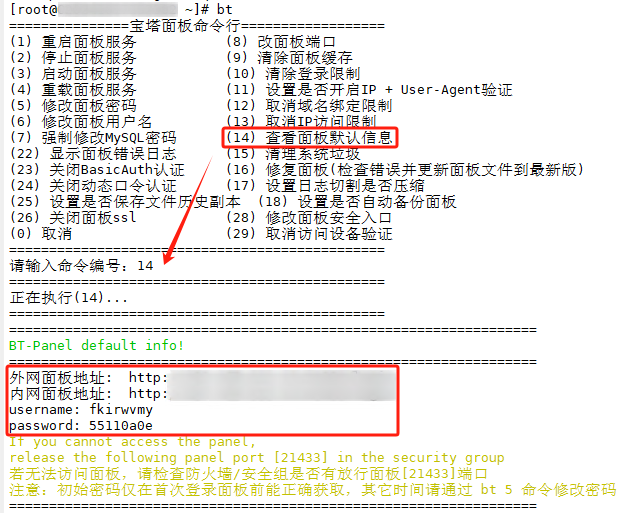
First, we log into the system through SSH, type "bt", and press "14" to view the aaPanel information:
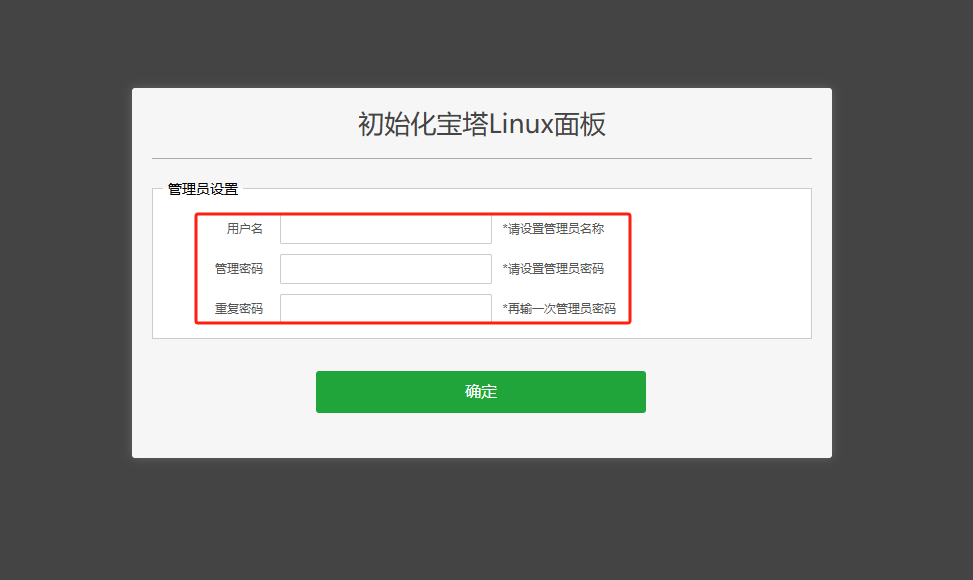
The following is the web interface. You can set the aaPanel information yourself when you log in for the first time:

  • 0 Users Found This Useful
Was this answer helpful?

Related Articles

CentOS 7.x Firewall: Enable/Disable and Add Ports

  In CentOS 7.x, the default firewall is firewalld. Here is an example using CentOS 7.6...

How to enable/disable ping on Linux system

To prevent others from discovering and potentially attacking your machine through network ping...

How to View Memory Usage and Clear Cache in Linux System

Sometimes, when a server becomes unresponsive, it may not necessarily be due to high CPU usage....

How to remotely access a Linux system using Putty tool

Introduction to Putty software PuTTY is a Telnet, SSH, rlogin, raw TCP, and serial interface...

Linux System RuiSu Installation Tutorial

Note: The prerequisite for installing RuiSu is to ensure that the network card is in the "eth"...
